640 × 360
Just the view you need.
Choose a region, window, or display. Move straight into editing while the idea is still fresh.
Ctrl+Shift+1Region capture
From the first capture to the final explanation.
Capture, annotate, extract text, and record with ZeroShot.
The language switch applies to this website. App screenshots show the Korean interface.
A clear note in the right place beats a long explanation.
Give familiar screenshots a little more clarity.
Choose a region, window, or display. Move straight into editing while the idea is still fresh.
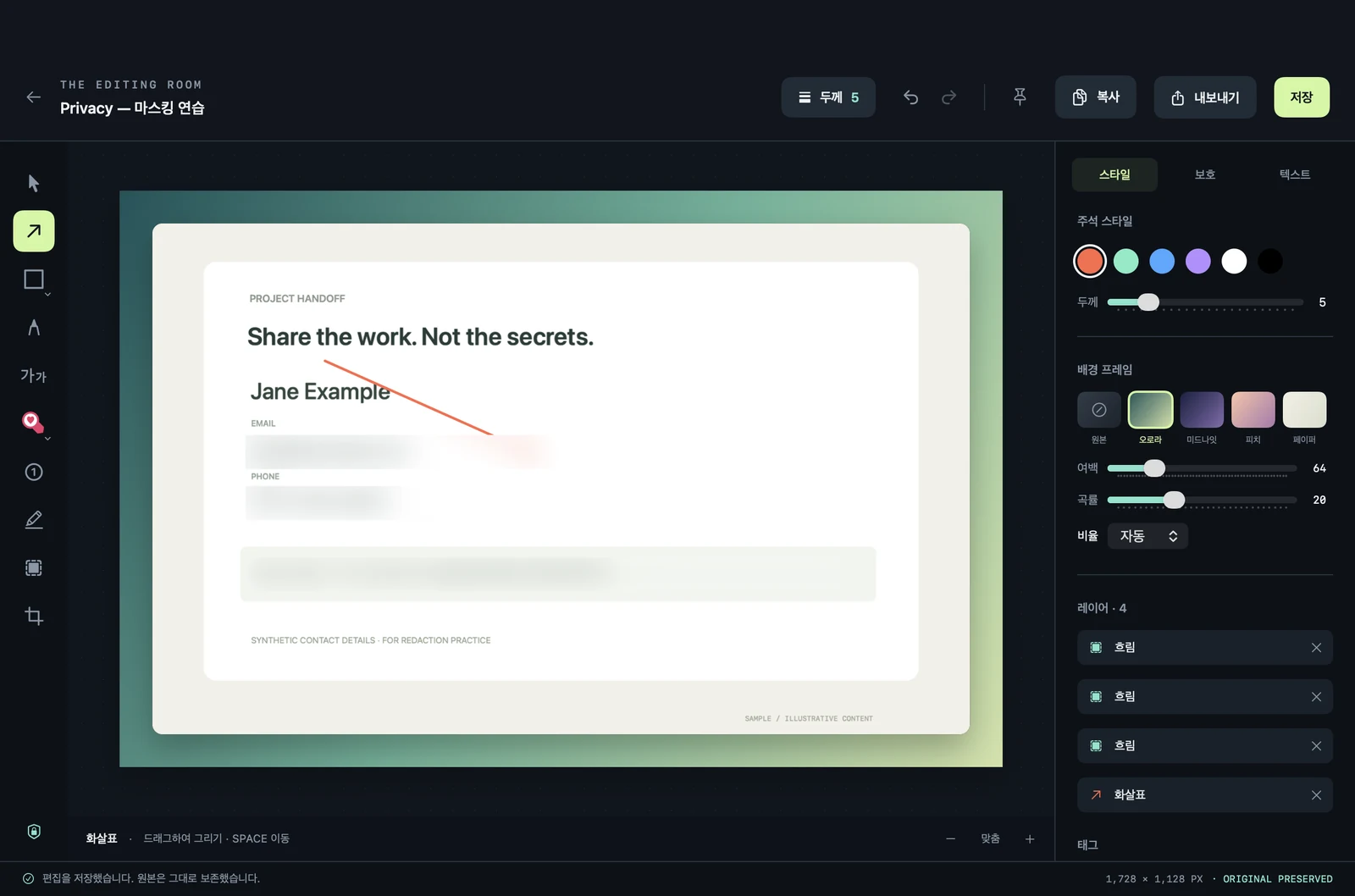
Use arrows, four shape tools, text, and highlights. Adjust colors and line widths to make your point.
Recognize Korean and English text in images on your device. Extract what you need to search or copy.
A yes, a question, or something to watch.
Give feedback a little character with five badges.
Rotate the tail through a full 360°.
The symbol inside always stays upright.
Give the blue handle a spin.Interactive web demo · Rotate with the mouse in the app, too.
A screenshot is just the beginning.
Save it, refine it, and pass it along.
Keep the next step close at hand.
Search recent captures and save your favorites.
Select all to organize or restore items in one go.
When one frame is not enough, record your screen.
Save as MP4 on Mac or WebM on Windows.
Copy an image or export it as PNG or JPEG.
Pin it above your screen to keep a reference in view.
ZeroShot does not upload captures to its own cloud. Originals, edits, and recognized text stay in your local library.
Blur is a visual effect, not guaranteed removal of sensitive information. Originals and OCR text remain locally.
Local processing and privacyChoose the developer preview for your device.
The app and local OCR files are included.
Native macOS app
Development build with a local ad-hoc signature.
Not yet Developer ID-signed or Apple-notarized.
6221b212f7b2f7e5b044bc19ceb2ff34da8bdf7a72ed0a3b368a22bddf2410feSeparate port · Built with Electron
Development beta without Authenticode signing.
Installation and capture on Windows hardware are not yet tested.
da868b4e2ee837fa3841e6195eeb2755009b7389e2bea73d31d24dcb36582eadTry the features with sample images before using them for important work.
Do not disable OS security settings. Website HTTPS and app code signing are separate.
Before you download,
get to know the current preview.
They share the basic capture, editing, local OCR, and library workflow, but use different implementations. Mac is a native Swift/AppKit app; Windows is an Electron-based port. Recordings use MP4 on Mac and WebM on Windows. Testing on Windows hardware has not yet been performed.
The current developer preview is available without a purchase or account. Pricing and licensing for a full release are not yet finalized. No sign-up or API key is required to download it.
Import PNG or JPEG images and add annotations, shapes, badges, and blur. Edits are made in the local library without overwriting the external source files. Automatic synchronization of editing JSON between Mac and Windows is not supported.
No. Blur is a visual effect and does not guarantee complete removal of sensitive information. Original images and recognized OCR text remain in your local library. Share using the editor's copy or export actions, and inspect the resulting image yourself.
The current downloads are development builds without production code signing or notarization. Mac is not yet Apple-notarized, and Windows has no Authenticode signature. Checksums verify that files match; they do not replace operating-system trust checks. Do not disable system security features.
On Mac, you must grant screen recording permission. Microphone permission is requested only when you select that recording option. After changing permissions, you may need to quit the app completely and reopen it. Protected content and some windows may not be capturable.
The current version does not include automatic scrolling capture, GIF conversion, webcam capture, cloud sharing, or team collaboration. See the release notes for available features and the scope of testing.